Payslip Comments
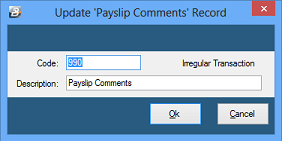
This Transaction Code is a system-generated transaction (Code 990). No user setup is typically required. Use this Transaction Code to enter a personalized message onto an employee's payslip. This is done by processing the message onto the payslip just like any other standard transaction.
To create a 'Payslip Comment' Transaction Code (if it does not already exist):
- Go to the 'Edit', then 'Transaction Codes' menu options.
- Check to see whether there is already a 'Payslip Comment' transaction code.
- If the code does not exist, click 'Insert'.
- Select the 'Transaction Category' for Payslip Comments.
- Accept/Change the default 'Code'.
- Enter an appropriate 'Description'.
- Click 'Ok' to save the new Transaction Code.
Was this page helpful?