Net Pay Adjustments
Use the Net Pay Adjustment Transaction Code to pay employee/s more than once in a period. The first payment is normally the Net Pay amount for the period, the second payment is a revised Net Pay amount that ignores Transaction Codes that have already been paid. This most often happens when salaries have been paid and it is discovered that another payment should have been made.
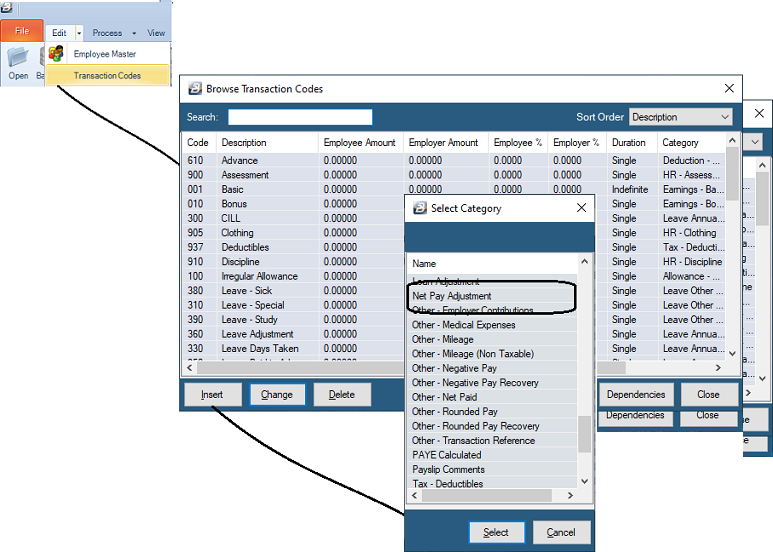
To Create a Net Pay Adjustment' Transaction Code:
- Go to the 'Edit', then 'Transaction Codes' menu options.
- Check to see whether there is already a 'Net Pay Adjustment' code.
- If the code does not exist, click 'Insert'.
- Select the 'Net Pay Adjustment' transaction category.
- Accept/Change the default 'Code'.
- Enter an appropriate 'Description'.
- Select the 'General Ledger' Code to be entered onto journal reports and exports.
- Set the 'P6 Field' for year-end ITF16 export.
- Click 'Ok' to save the new Transaction Code.
(Note: For processing details, see Net Pay Adjustment).
Was this page helpful?