ITF36 & ITF1
ITF1 Tax Return
Employees who haven't worked the entire tax period won't have had their PAYE calculated using the Final Deduction System (FDS). They should submit an ITF1 form together with their P6 (from the current, prior, or other employer, as applicable). The same applies where an employee has additional outside income.
A copy of the ITF1 form can be downloaded from the ZIMRA website.
Employees classified under the PAYE – Non-FDS method generally need to submit an ITF1 — see that page for the specific criteria and the current filing deadline.
ITF36
An ITF36 is printed alongside P6's, for employees who earned income during the year but did not pay PAYE — for example, because they were on a tax directive, or their income never reached a tax band. It's similar in form and layout to a P6, and is issued instead of one in these cases.
ITF36 is used less than it once was: with FDS tax calculations, income details for employees without PAYE deductions are submitted on the ITF16 regardless, reducing the need for a separate ITF36. Under FDS, its purpose has shifted to a certification of amounts earned during the tax period, rather than a return submitted with an annual tax return (its original purpose).
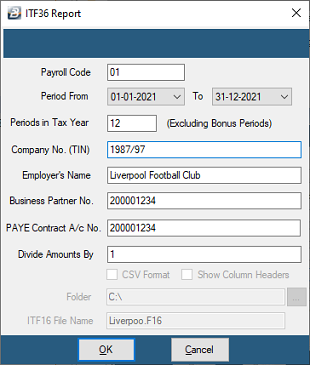
To print an ITF36:
- Go to View → Tax → ITF36 [No PAYE]
- Enter the Payroll Code (
01if there's only one payroll) - Click OK
- Use the range selection screen to choose the required employee(s)
- Click Print
Was this page helpful?